cse15l-lab-reports
Lab Report 4 - Explaining Keystrokes
Task 1: Log into ieng6
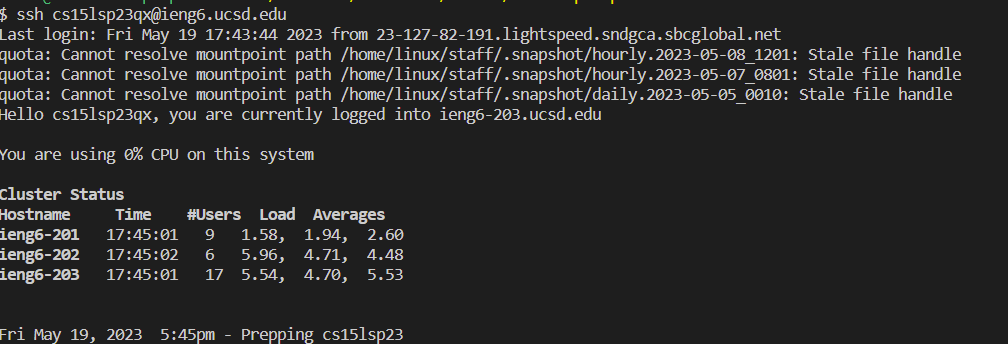 Keys pressed: s s h
 <space> c s 1 5 l s p 2 3 q x @ I E N G 6 . u c s d . e d u <enter>
Description: The ssh command along with my username was entered to log into ieng.
Task 2: Clone your fork of the repository from your Github account
 Keys pressed: g i t
 <space> c l o n e <ctrl v> <enter>
Description: The git clone command was used to clone the specified repository to my ieng account. <ctrl v> was used to paste https://github.com/CameronArch/lab7.git which I previously had copied on my clipboard.
Task 3: Run the tests, demonstrating that they fail
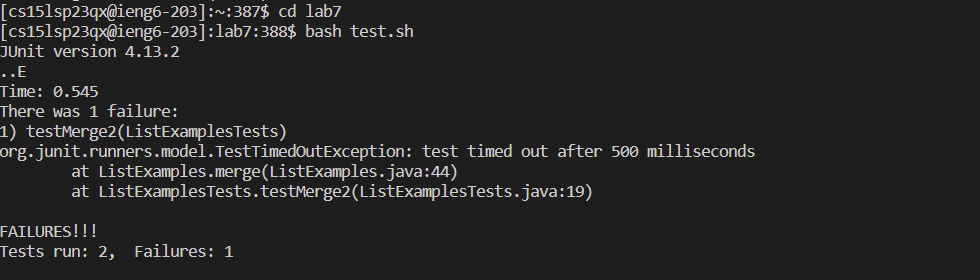 Keys pressed: c d
 <space> l a b 7 <enter> b a s h <space> t e s t . s h <enter>
Description: I first changed my working directory to be lab7 with the command cd. Then, I ran the tests with bash test.sh.
Task 4: Edit the code file to fix the failing test
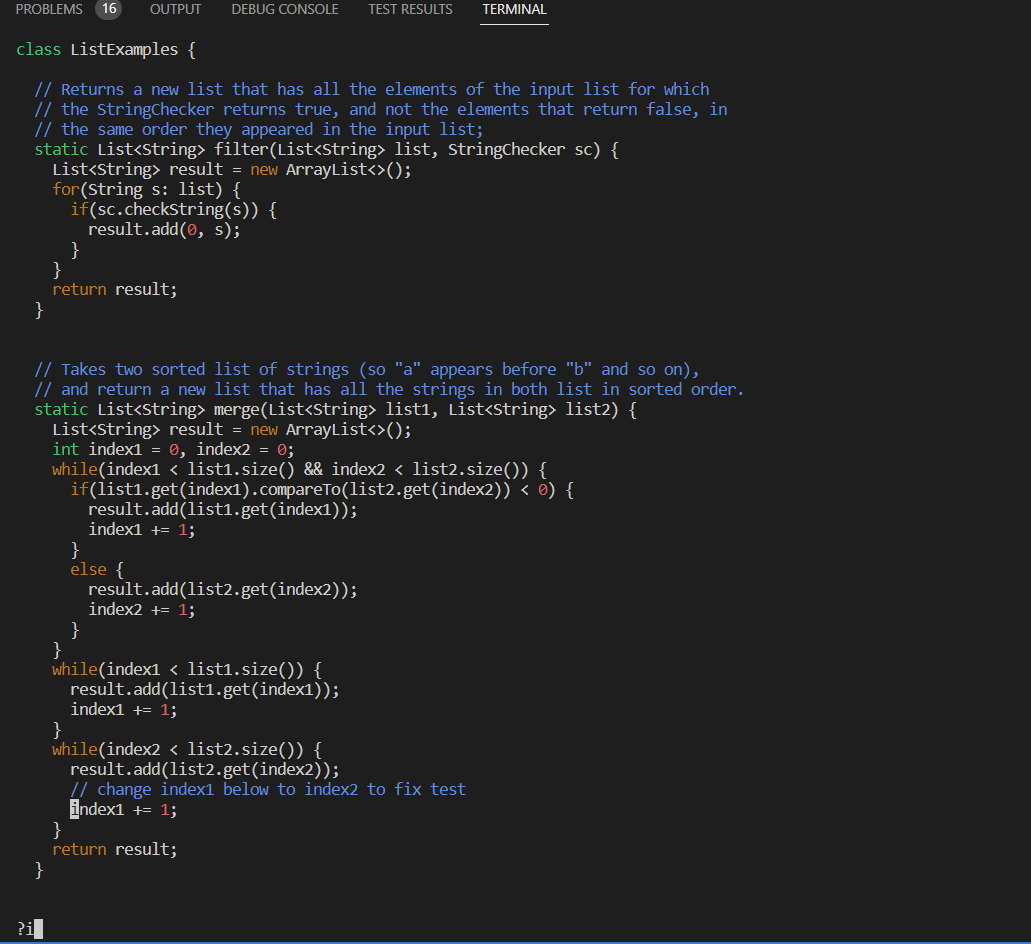 Keys pressed: v i m
 <space> L <tab> . j a v a <enter> ? i <enter> e r 2 : w q <enter>
Description: The <tab> expands L to ListExamples. Then I added .java to get vim ListExamples.java and edit the file. ?i finds the last instance of “i” in the file which was where the error was. e was used to get to the end of “index1” and r2 was used to change the “1” to “2” to fix the error. :wq saved and exited vim.
Task 5: Run the tests, demonstrating that they now succeed
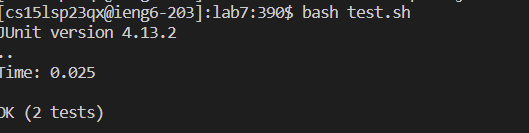
Keys pressed: <up> <up> <enter>
Description: The 2 uses of <up> was to get bash test.sh which was 2 up in the search history.
Task 6: Commit and push the resulting change to your Github account
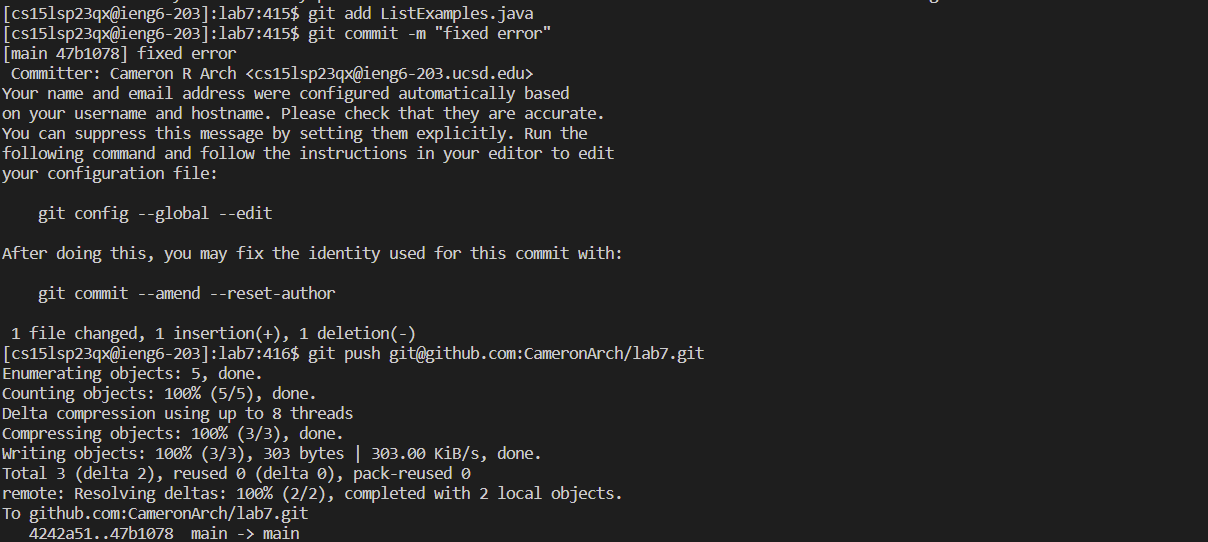 Keys pressed: git
 <space> a d d <space> L <tab> . j a v a <enter> g i t <space> c o m m i t <space> - m <space> “ f i x e d <space> e r r o r “ <enter> g i t <space> p u s h <space> <ctrl v> <enter>
Description: First, “L <tab>” expands to ListExamples and “.java is added. git add adds the changes in ListExamples.java to staging area for git. Then, git commit -m "fixed error" captures a snapshot of the current staged changes with the message “fixed error”. Finally, git push with <crtl v>, which pastes git@github.com:CameronArch/lab7.git that I had copied on my clipboard, is used to upload the local content to the remote repository.